
Key Takeaways
- Get our Composition Notebook Cover Canva Template totally free.
- It’s easy to use for anyone, no matter their design skill.
- Make your notebook cover stand out with unique designs.
- Use lots of images, graphics, and cool text styles.
- Create professional covers without paying a designer.
Effortless Design with Our Canva Template
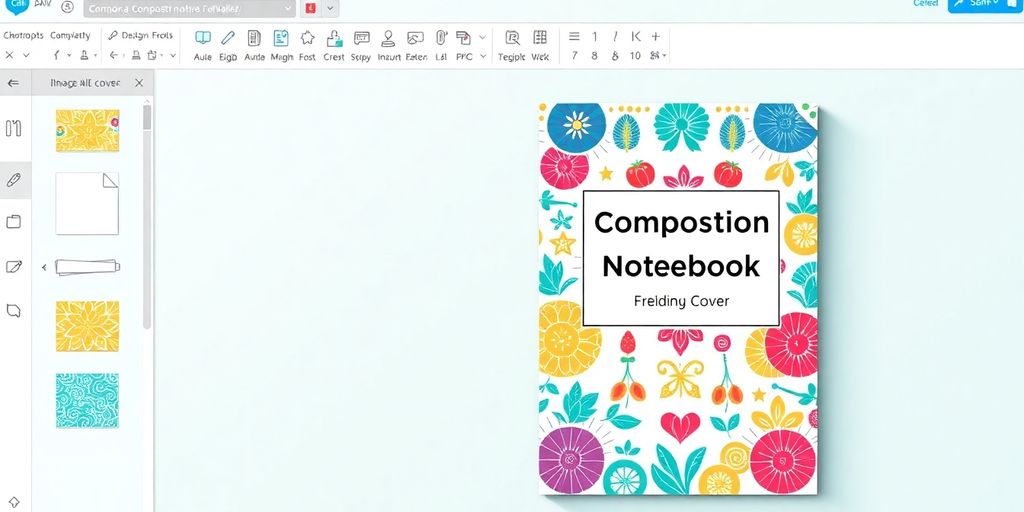 Making a cool cover for your composition notebook doesn’t have to be a headache. We’ve put together a template for Canva that makes the whole process super simple, even if you’ve never designed anything before. Seriously, it’s built for everyone, no matter your skill level. You get access to a bunch of professional-looking layouts right away, so you’re not starting from scratch.
Download Composition Notebook Cover Canva Template 100% Free
Yep, you read that right. You can grab this template without spending a dime. It’s a fantastic way to get a professional-looking notebook cover without any cost. This template offers 10 editable label designs and 4 background patterns to easily create personalized and aesthetic composition notebook covers. The drag-and-drop functionality makes customization simple. You can find it right here: composition notebook cover template.User-Friendly Interface for All Skill Levels
Canva itself is known for being really easy to use. Think of it like building with digital blocks – you just drag and drop elements where you want them. This means whether you’re a design whiz or you’re just figuring out how to change the font size, you’ll be able to create something awesome. No complicated software or steep learning curves here.Access Hundreds of Professional Layouts
Instead of staring at a blank screen, you get to pick from a whole bunch of pre-made designs. These aren’t just basic layouts either; they’re put together by people who know what looks good. You can choose a style that fits your vibe and then tweak it to make it your own. It’s like having a whole design studio at your fingertips.Elevate Your Notebook’s Appearance
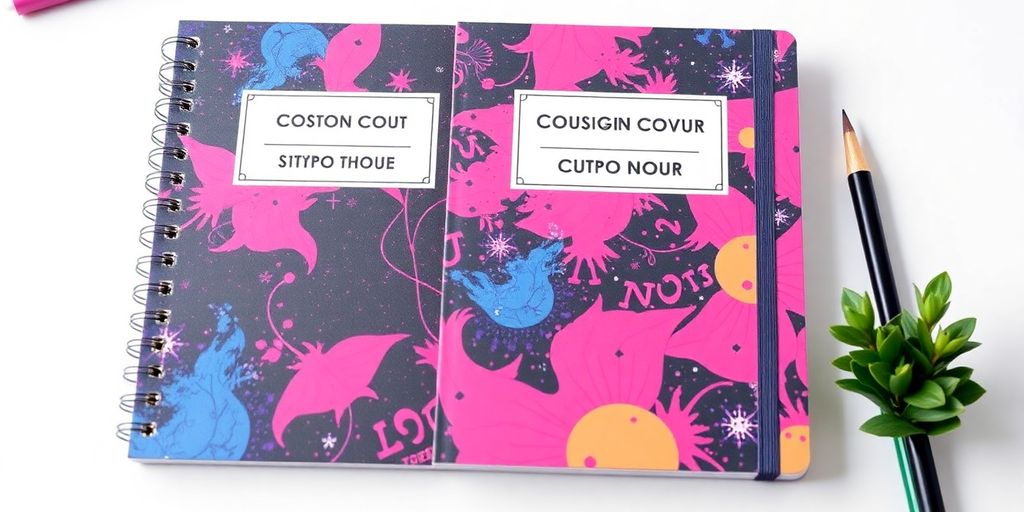 Want your composition notebook to look more than just… well, like a plain notebook? This template helps you do just that. You can easily put your name on it, the title of whatever you’re writing, and maybe even a short subtitle if you have one. It’s all about making it look good and making it yours.
Think about what makes a cover grab your attention. It’s usually a mix of things:
Want your composition notebook to look more than just… well, like a plain notebook? This template helps you do just that. You can easily put your name on it, the title of whatever you’re writing, and maybe even a short subtitle if you have one. It’s all about making it look good and making it yours.
Think about what makes a cover grab your attention. It’s usually a mix of things:
- A clear title and subtitle that are easy to read.
- A main image or graphic that catches the eye.
- A design that isn’t too busy, so you can actually see what’s important.
- Visuals that make you curious about what’s inside.
The right font choice can really change how people see your notebook. It’s not just about looking pretty; the font can hint at the style or subject matter of your writing. Picking a font that’s clear and fits the vibe is key.Using the template, you can play around with different fonts to find one that really works. Maybe a clean, simple font for a journal, or something a bit more decorative for a story. It’s your notebook, so make the text look the part!
Leverage Canva’s Powerful Features
Canva really gives you a lot to work with when you’re putting together your notebook cover. You’re not stuck with just a few basic options, that’s for sure.Explore Millions of Stock Images and Graphics
Think of all the pictures and little drawings you might need. Canva has a massive library, like over a million different things. You can find photos of almost anything – landscapes, textures, abstract shapes, you name it. Plus, there are tons of graphics, like icons, borders, and decorative elements. Many of these are free to use, which is great for keeping costs down. If you need something really specific or high-end, they have premium options too, and they’re not too pricey.Upload Your Own Custom Artwork
Sometimes, you have a specific image or drawing in mind that you can’t find anywhere else. Maybe it’s a personal photo, a logo for your brand, or a piece of art you created. Canva lets you upload these files directly into your account. Once they’re uploaded, you can use them in any of your designs as many times as you want. It’s a really good way to make your notebook cover truly unique and personal.Discover AI-Powered Design Tools
Canva has also been adding some pretty neat tools that use artificial intelligence, often called AI. These tools can help you with different parts of the design process. For example, they might help you generate ideas, suggest layouts, or even create images based on a text description. It’s like having a little design assistant right there with you, making the whole process faster and maybe even sparking some new creative ideas you hadn’t considered before. It’s a good way to get professional-looking results without needing to be a design expert yourself.Achieve Professional Results Instantly
Forget spending a fortune on designers. With this template, you can get a polished look for your composition notebook cover without breaking the bank. You’ll have a professional-looking design ready in minutes. It’s all about making your notebook stand out, whether it’s for personal use or a small business. We’ve made sure the layout is easy to read and looks good, no matter how you plan to use it. Here’s what makes it work:- Readability: Your title and author name will be clear and easy to see from a distance.
- Visual Appeal: The design elements are arranged to catch the eye without being too busy.
- Versatility: The template is set up for both printing and digital sharing, so it looks great anywhere.
Think of it like this: you’ve got a great story or idea, and the cover is the first handshake. This template helps make that handshake firm and friendly, giving people a good first impression right away. It’s about making sure your notebook looks as good as the ideas inside it.
Share Your Custom Creations
Once you’ve finished tweaking your composition notebook cover design, sharing it is a breeze. You don’t need to be a tech whiz to get your creation out there. Canva makes it super simple to send your work to friends or post it online.- Click the ‘Share’ button in the top right corner of the Canva editor.
- Choose where you want to share: directly to social media platforms like Instagram or Facebook, or send a link via email.
- You can also download your design in various formats (like JPG or PNG) to upload wherever you like.
Wrap Up Your Design Journey
So there you have it. Creating a great cover for your composition notebook doesn’t have to be a big hassle. With this free Canva template, you can easily put together something that looks really good, even if you’re not a design pro. It’s a simple way to make your notebook stand out, whether it’s for school, work, or just jotting down ideas. Give it a try and see how easy it is to make something that’s uniquely yours.Frequently Asked Questions
How do I get the composition notebook cover template?
Our Canva template lets you design a cool cover for your composition notebook without any cost. Just download it and start creating!
Is this template hard to use for beginners?
You don’t need to be a design expert! Canva is super easy to use, even if you’ve never designed anything before. It’s like playing with digital building blocks.
Can I add my name and title to the cover?
Yes! You can add your name, the notebook’s title, and any other text you want. Make it personal and informative.
What kind of pictures and graphics can I use?
Absolutely. Canva has tons of free pictures and cool graphics you can use. You can even upload your own drawings or photos to make it extra special.
Do I need to hire someone to make my cover look good?
You don’t have to pay a designer. This template helps you make a professional-looking cover right away, saving you time and money.
How can I share my finished cover design?
Once you’re happy with your design, you can easily share it on social media. Show off your awesome notebook cover to friends and family!


